
Secure score that drives action, not a weekly percentage
Episode 2 of the series Cloud Security – Microsoft Defender
Your secure score changed since the last meeting. Is that an improvement in the environment, a different scope, or a change in what is being assessed?
Before calling it progress, establish what you are comparing. Then choose a recommendation the team can investigate and turn it into a task with an owner. The useful result of a posture review is a decision someone can act on and verify.
We will continue with Orders Demo, the hypothetical application introduced in Episode 1. It gives us a consistent example for discussing ownership and evidence. The findings, priorities and tasks below are illustrative; they are not measurements from a tenant.
Identify the score before recording a baseline
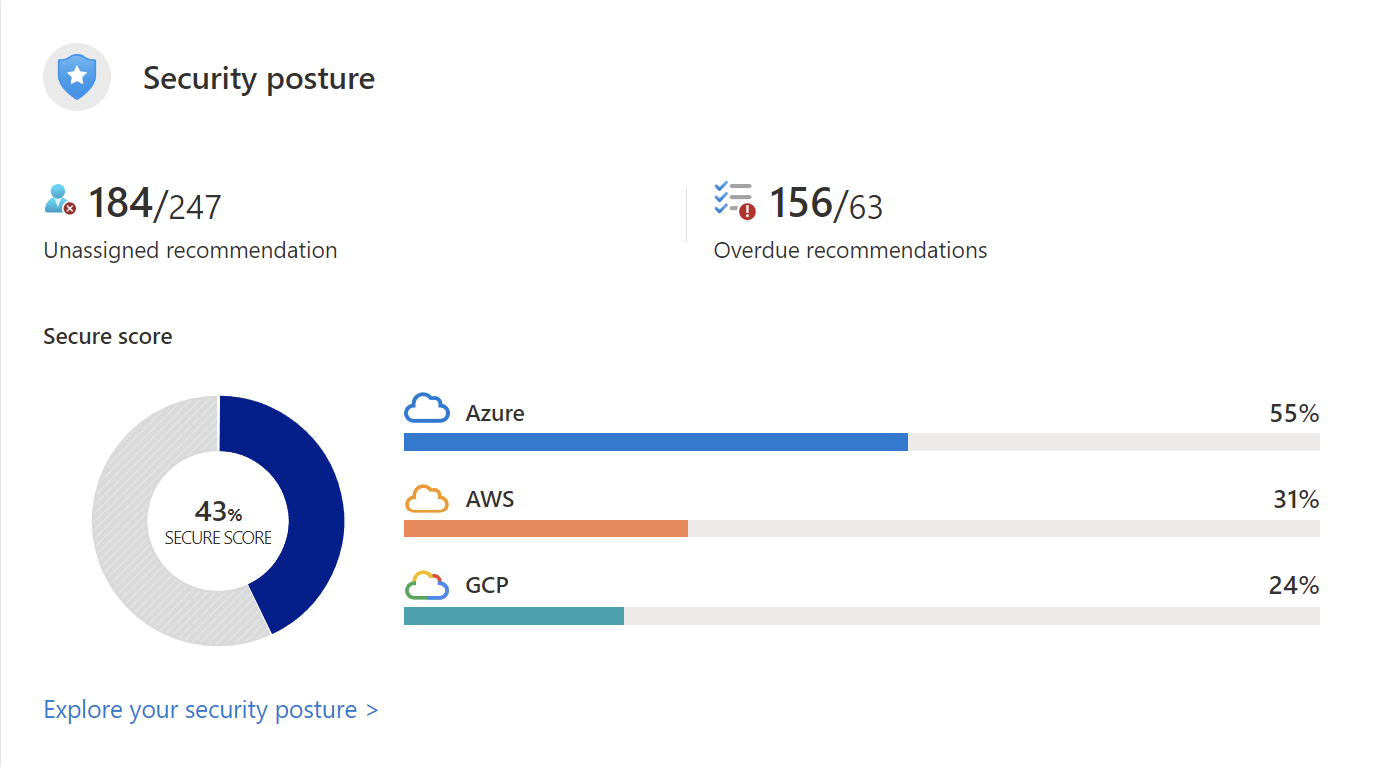
Microsoft’s secure score documentation distinguishes the classic Secure Score in the Azure portal from the risk-based Cloud Secure Score in the Defender portal. Their calculations differ. The risk-based model incorporates asset risk factors and criticality, while the classic experience uses its own control-based calculation.
A percentage from one model is not a like-for-like baseline for the other. Record the portal experience, model, selected environment and capture time alongside the value. If a previous report omitted that context, leave the comparison unresolved until you can establish it.
Scope matters too. Adding assessed resources or changing the set of recommendations can change the result without an application team changing its configuration. Microsoft’s documentation describes how expanded assessment coverage can affect scores. That is a reason to check the assessment context before assigning credit or blame.
For Orders Demo, the first review note might simply say: “Azure portal, classic Secure Score, selected application subscription, captured before this review.” We have deliberately left out a number: this example is about the information to record, rather than an invented baseline.
Find a concern that belongs to the application
The recommendations guidance describes reviewing findings and their remediation details. Use the documented experience for the portal you are working in; screens and recommendation formats can differ as the service evolves.
For our example, suppose the team is investigating a finding about a storage resource used by Orders Demo. Start with the affected resource and the concern the finding describes. Does that resource still serve the application? What information does it hold? Which identity or network path is relevant? Who can confirm the intended design?
The recommendation is a starting point for that investigation. Reading a remediation instruction does not establish that applying it immediately is safe for the application. The change may need a test, an agreed maintenance window or coordination with a dependency owner.
Keep unknowns visible. If the data owner has not confirmed the resource’s purpose, say so in the task. A short investigation assigned to the right person is more useful than handing an ambiguous finding to a general operations queue.
Use risk context without hiding the hard work
Defender for Cloud’s risk prioritization considers resource context and potential impact. The documentation specifies Defender CSPM as a prerequisite for these enhanced features. Recommendations are available without assuming that every advanced prioritization capability is enabled.
For the discussion, bring the risk information you actually have. If a feature is unavailable, record that limitation and use confirmed application context. Do not fill a missing product assessment with an invented risk score.
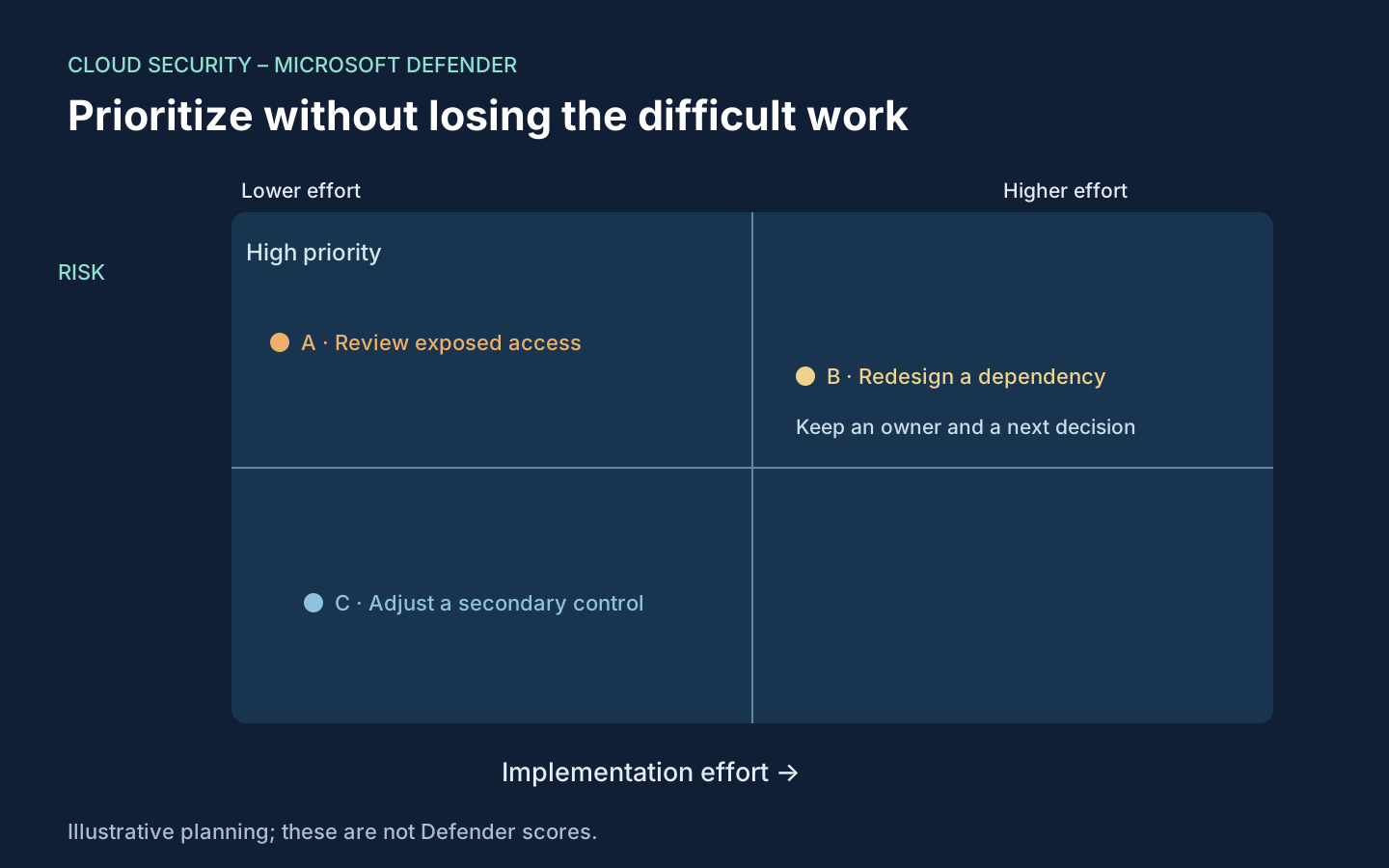
The accompanying matrix is a suggested planning aid. Its labels are illustrative judgements, not values produced by Defender for Cloud. Put an achievable, important task into the next change window, but keep an important task that needs more engineering work on the plan as well.
That last point matters. If the team selects only low-effort work each week, a difficult exposure can remain untouched while the completed-ticket count grows. Give the larger task an owner, a next design decision and a review date. Break it into safe steps where the application permits that approach.
Write a task that can be closed with evidence
A task called “Improve secure score” does not tell the receiving team what to change. For Orders Demo, use the following suggested handover structure instead.
| Task field | What to record |
|---|---|
| Scope | The finding, affected resource and application relationship |
| Concern | The exposure to investigate, with confirmed context and unknowns separated |
| Owner | The person coordinating the investigation and proposed change |
| Change plan | Intended configuration, dependencies, approval and rollback considerations |
| Verification | How the application and the security concern will be checked afterwards |
| Review point | When to examine reassessment results and any remaining exception |
For an illustrative storage-access task, verification might include confirming the intended access path, checking that the application can still perform its legitimate operation and reviewing the finding after reassessment. These are proposed checks. They do not claim that a particular access change has been executed or that a finding has disappeared.
Agree those checks before implementation. Otherwise, it is easy to reach the end of a change window with a different configuration and no shared definition of success.
Run a short review with a specific output
The following is a suggested operating routine, rather than an official product procedure.
- Record the observation. Capture the score model, portal, scope and time, along with any assessment changes that affect comparison.
- Select a finding. Read the affected-resource and remediation details, then confirm how the resource supports the application.
- Agree the next action. Choose investigation or implementation according to what is known. Name an owner and a review date.
- Set the verification. Describe the application checks, security evidence and reassessment information that will support closure.
- Return to the same scope. After an approved change, compare observations on a consistent basis and explain anything that remains unresolved.
The score may update on a different timetable from a configuration change. Keep the change record and the assessment observation separate until the relevant reassessment is available. A delayed score movement does not erase the work, and a higher percentage alone does not establish that the intended application outcome was achieved.
For the next review, arrive with one completed investigation or one well-defined change proposal. In Episode 3, we will look at Foundational CSPM and Defender CSPM, so the team can choose capabilities against the work it needs to do.
Cheers,
Marcos Nogueira
Connect with me on LinkedIn