
Identity and access management: follow access through to removal
Episode 4 of the series Cybersecurity in Practice
An access decision needs an owner and an end condition. Creating an account and assigning a group gets someone started; keeping that access appropriate as their work changes is the longer responsibility.
Episode 3 followed authentication and authorization through a fictional customer portal. This week, we will follow the people who support that portal: a new analyst, an analyst moving into another role and a colleague leaving. The names, access rules and worksheet are illustrative. No accounts were created, permissions changed or revocation tests performed.
Give each access route a business purpose
Microsoft’s identity fundamentals provide the vocabulary for identities, authentication and access. For a practical review, begin with a specific identity, resource and action. “Access to the portal” is too broad to explain whether an analyst may read a request, export customer records or change the application configuration.
Consider a proposed support role. The analyst needs to read assigned requests and update their support status. Exporting every customer’s data or administering the Azure subscription is outside that proposed job. The application owner must confirm those rules; a convenient group name does not make them true.
Record how access is granted. The portal may use an application role mapped from a group. The hosting platform may use Azure RBAC. The Azure RBAC overview explains a role assignment as a principal, role definition and scope; assignments inherited from broader scopes can also matter. An Entra directory role, an Azure resource role and a portal’s own authorization rule are different responsibilities. An application can still need its own record-level checks after a user signs in.
| Identity or route | Proposed need | Owner and evidence to establish |
|---|---|---|
| Support analyst | Read assigned requests and update support status | Application owner confirms operations and allowed/denied cases. |
| Platform administrator | Perform an approved hosting change | Platform owner identifies the Azure role, scope and change authority. |
| Portal workload identity | Reach a required downstream resource | Workload owner records permissions and the independent lifecycle of the application. |
| External collaborator | Complete a bounded support task | Sponsor records purpose, expiry and how removal is verified. |
The workload row matters because removing a person’s access does not automatically answer what the application’s identity can do. Keep human access, application permissions and any directly managed application accounts in the inventory.
Follow joiners, movers and leavers through the same record
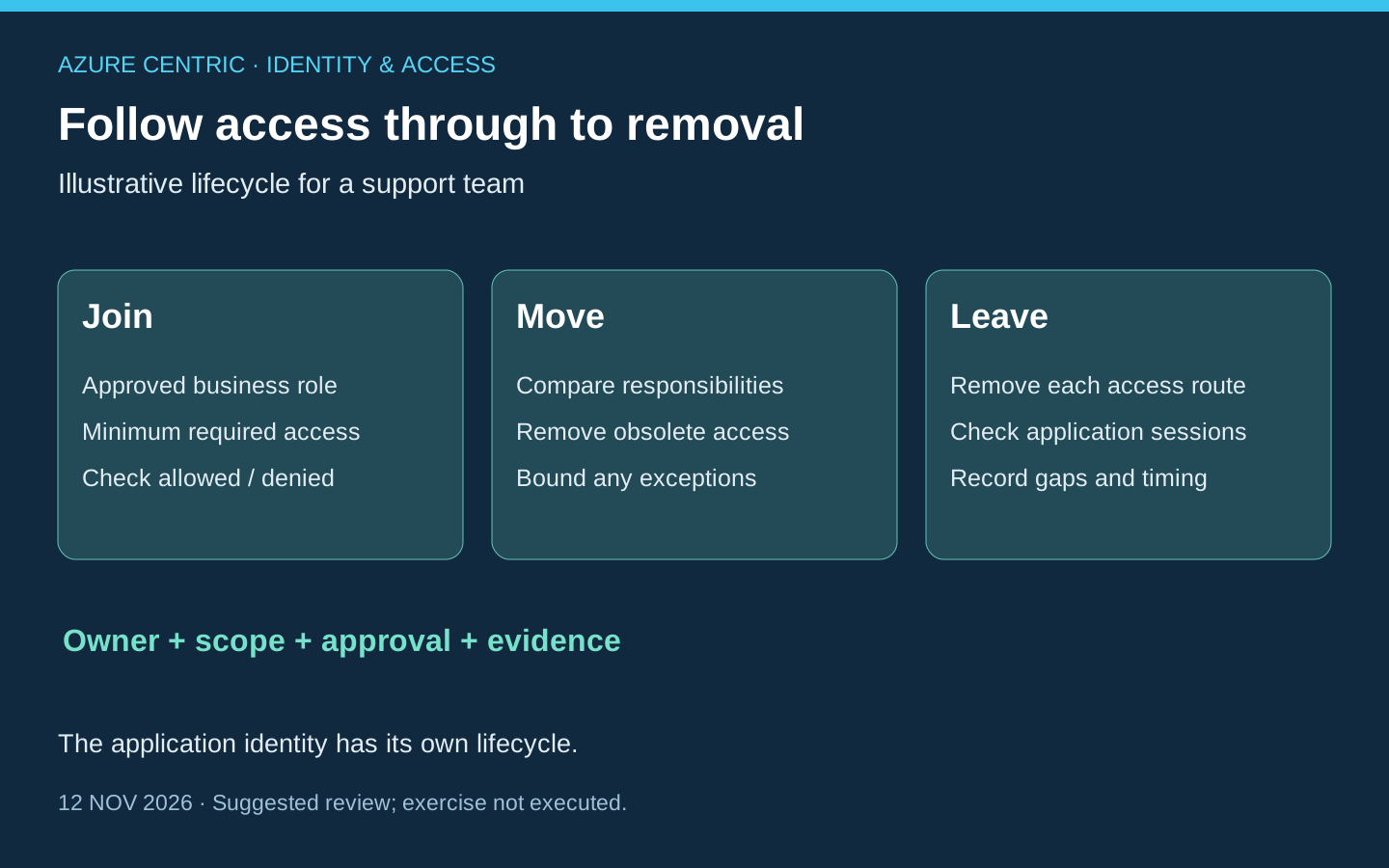
Microsoft’s employee lifecycle guidance distinguishes joining, moving and leaving. Use those events to ask who authorises access, what changes and how the outcome becomes visible.
For a joiner, obtain the approved business role and effective date. Identify the authoritative employment or sponsorship signal, then grant the agreed access through the intended route. Verify that the person can perform the required task and cannot perform a task outside that role. Successful account creation alone does not demonstrate either result.
For a mover, compare old and new responsibilities explicitly. Suppose our analyst moves from support to reporting. Adding a reporting group while leaving old support permissions in place creates an accumulation problem. List what must be removed as well as what must be added, including direct application assignments and access inherited through other groups or scopes. A temporary handover exception should have a named approver, an end date and a follow-up action.
For a leaver, agree the effective time, the system responsible for the signal and the teams responsible for each access route. Consider cloud and on-premises identities, application-local access, delegated access and active sessions. Reassign operational ownership of applications or scheduled jobs where necessary; do not preserve an employee’s unnecessary login simply because a service lacks a replacement owner.
Verify removal at the application boundary
Microsoft’s access-revocation guidance explains that revocation can take time and that an application controls its own session token. Entra ID cannot directly invalidate a session cookie issued by another application. Blocking an account or revoking refresh tokens is therefore not proof that every existing application session has ended.
The portal owner should define what invalidates its sessions and when its permissions are reevaluated. Include a still-open browser session in an authorised test plan, rather than checking only whether a fresh sign-in fails. Different applications and protocols can behave differently. This article provides no universal revocation deadline and does not recommend destructive account actions as a casual exercise.
A useful removal record identifies the requested change, its effective time, each system’s completion evidence and the remaining uncertainty. If one application cannot provide evidence, name that gap and its owner. A successful workflow task is useful evidence about the task; it is not automatically evidence about all downstream access.
Automate a defined process, with the right permissions and licence
Entra ID Governance offers capabilities for identity and access lifecycles, including provisioning, entitlement management and access reviews. These solve related problems but are not interchangeable: creating an account, assigning access and periodically deciding whether it remains justified are separate outcomes.
Lifecycle Workflows adds tasks and execution conditions around lifecycle events. HR-driven provisioning handles account creation and attribute updates; a lifecycle workflow adds automation around that process. Agree reliable attributes, scope and effective dates before automation. A wrong source signal can otherwise repeat a wrong decision consistently.
For an authorised pilot, the documented creation experience starts in the Entra admin center under ID Governance → Lifecycle workflows. A Lifecycle Workflows Administrator can create from a template or clone an existing workflow. Review the selected users, trigger, tasks and schedule before enabling execution. This is an implementation reference, not a record of a workflow deployed for this article.
Check the current Governance licensing matrix. Lifecycle Workflows requires an applicable Governance or Suite entitlement, with qualifying prerequisites; P2 alone does not include it. Access-review and privileged-access features have their own licensing rules. A documented manual review can be a useful starting process, but it does not confer premium product rights. Validate who needs licensing and any additional services before approving automation costs.
Complete one access lifecycle before expanding it
Choose one business role and one application for a suggested review. Use synthetic identities only in an approved test environment, with the application owner’s permission and a recovery plan. Prepare the expected results before carrying out any changes.
| Event | Expected result to define | Evidence to retain |
|---|---|---|
| Join | Required task works; unrelated privileged task is refused. | Approval, assignment route, effective scope and both outcomes. |
| Move | New task works; obsolete access ends or has a bounded exception. | Before/after entitlements, removal outcome and exception expiry. |
| Leave | Access is removed through each route; session behaviour is understood. | Identity and application completion records, timing and unresolved gaps. |
In the working model used throughout this series, Assess, Plan, Protect, Detect, Respond and Recover are overlapping activities informed by Marcos’s experience, with governance and learning across them. They are not official Microsoft SAF phase names. An access lifecycle crosses those activities: a failed removal can expose a planning gap, a protection gap and a detection need at the same time.
Before next Friday, aim to have one access record that another owner can follow from approval through removal. That record is the foundation for useful automation and review. The practical result is knowing why access exists, who is responsible for changing it and what would demonstrate that the change took effect.
Cheers,
Marcos Nogueira
Connect with me on LinkedIn